
Rapid Cloud File Manager
Rapid appsCommunication
3.0182.00 Reviews
- Version
- 0.9.9.03
- Installs
- 500.00K
- Age Rating
- Everyone
Screenshots
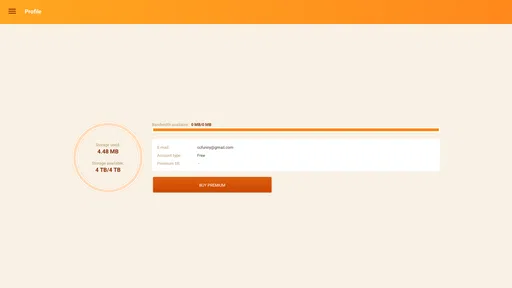
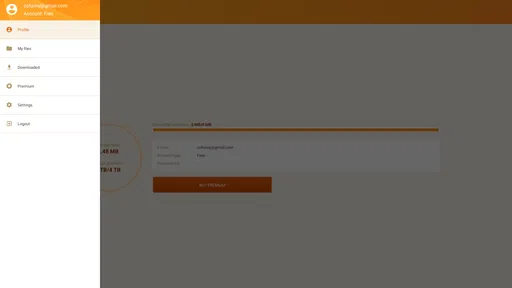
Our Review of Rapid Cloud File Manager
 Analysis by Appyee
I look at Rapidgator.net File Manager as a focused companion for people who already use Rapidgator.net, rather than a general-purpose file organizer. That distinction matters: its central job is to help you manage files on that service and download them to an Android device. If that matches your routine, keeping those actions close at hand can be useful; if you want a tool for sorting everything stored on your phone, you may be better served by a device file manager.
Where trust starts: knowing what the app is for
This is a free communication app from RapidG apps, with optional in-app purchases priced from $8.99 to $239.99 per item. It has an average rating of 3.0 from around 2,900 ratings, which I’d treat as a reason to read recent user feedback and try the free experience before paying—not as proof that it will or won’t work for you. It has passed 500,000 installs, is rated for Everyone, and its current version is 0.9.9.01, with Android 5.0 as the minimum operating system.
Those figures help set expectations, but they don’t tell me how a particular person’s account or files will be handled. For a file-management app, that distinction is important. I would avoid assuming that the app has a particular security safeguard or privacy practice unless I could see it stated in the app or its applicable policies. Before moving sensitive material into any online service, I’d check the service’s account and privacy information directly and decide whether the convenience is worth the trust involved.
What I would check before moving files
My first practical check would be to identify what account I’m using and what action I’m about to take. Managing a file already stored on Rapidgator.net is different from selecting a new file on the phone and sending it to an online account. I’d pause at the point where a file is chosen, confirm that it is the intended one, and make sure I’m comfortable storing it through the service before continuing.
I’d also treat account access as part of the workflow, not an afterthought. Use the account controls that are visibly available, keep login details private, and sign out on a device that other people can use if the app offers that option. I wouldn’t rely on an assumed password lock, encryption setting, or extra sign-in check: those claims should be verified in the app itself rather than taken for granted.
Everyday use without losing track of the file
A realistic use case is downloading a document you have already stored on Rapidgator.net before leaving home, then checking that the download is available on your phone before you need it. I’d do this while connected to a reliable network, leave enough device storage for the file, and open it once to make sure I have the right version. That small check can save a frustrating moment later when a connection is unavailable or the file turns out not to be the one I wanted.
For repeated tasks, I’d keep a simple naming and folder habit on the service rather than expecting a mobile app to solve a messy archive by itself. Clear names make it easier to choose the correct item on a smaller screen, while grouping related material makes a download session less error-prone. This is especially useful if several files have similar names or if I’m working through a set of documents one at a time.
When another kind of file app is a better fit
Compared with a typical Android file browser, this app’s value is tied to Rapidgator.net. A phone’s built-in file manager is the more natural choice for browsing local folders, moving items between device locations, or cleaning up downloads already saved on the handset. A broad cloud-storage app may suit someone who wants one place for files from several services or built-in collaboration. I’d choose this app when the Rapidgator account is the destination or source I actually need, not simply because I want a general file manager.
That narrower role can be a benefit: a dedicated service app may keep the relevant account actions together instead of making me switch between a browser and unrelated tools. The trade-off is dependence on that service and its account workflow. If you only need to open a one-off link, use local storage, or share documents with a group, a browser, device storage, or a service designed around collaboration may involve fewer steps.
Sleek Interface and Easy Navigation
First things first, the interface. Have you ever used an app that made you feel like you were deciphering the Da Vinci Code? Well, the Rapidgator.net File Manager is the opposite of that. It’s intuitive and easy to navigate. The design is clean, and everything is right where you’d expect it to be, which is a breath of fresh air in the cluttered world of file managers.
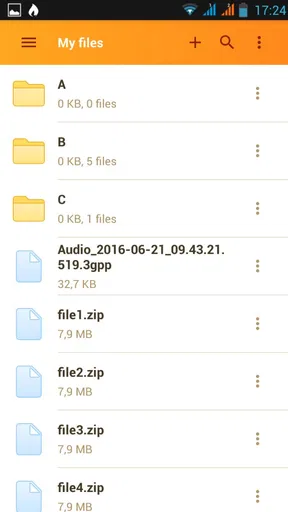
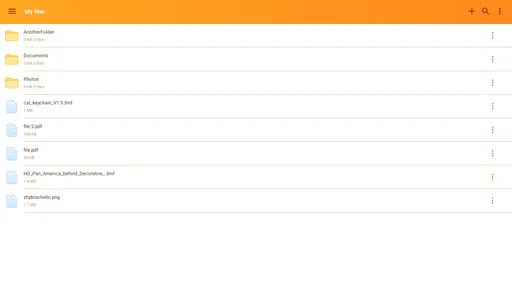
The main screen gives you a neat overview of your files and folders. You can easily switch between different views, like grid or list, depending on what tickles your fancy. I personally prefer the grid view; it just feels more organized and gives a quick glance at everything.
Seamless File Upload and Download
Uploading and downloading files is a breeze. You know those apps where you click upload and then wait an eternity while staring at a spinning wheel? Not here. The process is fast and efficient, even for larger files. Plus, you can manage your downloads directly from the app, which means no need to jump between different platforms to get your stuff done.
It also supports a variety of file types, so whether you’re dealing with documents, photos, or videos, you’re covered. Just drag, drop, and boom, you’re done. It’s as simple as that.
Enhanced Security Features
Now, onto something we all care about: security. In today’s digital age, keeping your files safe is crucial. The app offers solid security features, including password protection and encryption options. So, you can rest easy knowing that your files are tucked away behind a digital vault.
There’s also an option to set up two-factor authentication, which adds an extra layer of security. It might be a bit of a hassle to set up initially, but trust me, it’s worth it for the peace of mind.
Customizable Settings
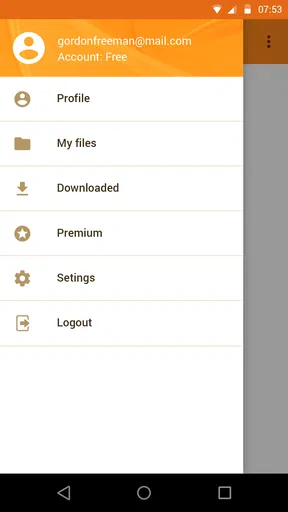
I love apps that let me have things my way, and Rapidgator doesn’t disappoint. You can customize various settings to suit your preferences. Whether it’s changing the theme, adjusting notification settings, or managing your account details, it’s all there for you to tweak.
For those who like to keep things organized, the app also offers sorting and filtering options. You can arrange your files by date, size, or name, making it super easy to find exactly what you need without having to scroll endlessly.
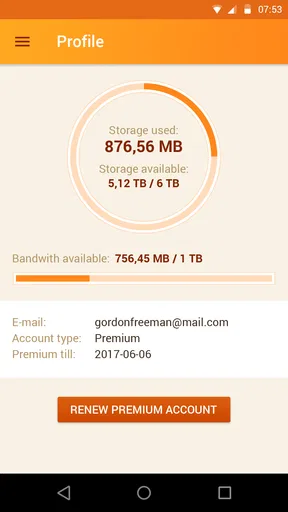
Storage and Accessibility
One of the standout features is the generous storage capacity. Whether you’re storing work documents or your entire photo library, there’s plenty of room. Plus, you can access your files from multiple devices. So, whether you’re on your phone, tablet, or computer, your files are just a click away.
This cross-device accessibility is a lifesaver for those of us who are always on the go and need to access files anytime, anywhere.
Practical habits for safer, smoother transfers
Even when a transfer feels straightforward, I find it worth separating the decision to upload from the decision to download. Before uploading, I’d check the file name and location on the phone so I don’t send a draft or personal item by mistake. Before downloading, I’d check the available space and whether I’ll need the file offline. These are small steps, but they reduce the chance of a rushed tap creating a cleanup job later.
For a batch of related files, I’d work in a deliberate order: identify the folder, choose one item, confirm it, and then continue. That may sound slower than selecting everything at once, but it helps when filenames are similar or when I only need a subset on the device. The useful trade-off here is control over convenience: a little extra attention can prevent unnecessary downloads and make it easier to tell what is already on the phone.
Who will get the most from it
I’d recommend trying it if you already keep material on Rapidgator.net and want a direct Android route for managing or downloading it. It may suit someone who regularly needs a stored document while away from a computer, or who prefers handling service-related file tasks on a phone rather than opening a browser. The Everyone age rating makes it broadly accessible as a listed app, though that should not be mistaken for a promise that every file or online interaction is suitable for every person.
I’d skip it if your main goal is to tidy local phone storage, sync across several unrelated cloud accounts, or collaborate with coworkers on shared documents. Those needs call for tools built around local file browsing, multi-service syncing, or teamwork. I’d also be cautious about putting private or work-sensitive files into any online account until I had reviewed the service’s own terms and account protections and understood who can access the account.
Questions I would settle before relying on it
Is it useful without a Rapidgator.net account? Its purpose is tied to managing files on that service, so I would not choose it as a standalone local file organizer. Can it help with files already on the phone? The key use described is managing service files and downloading them to Android; for browsing the phone’s folders, I’d use the device’s file manager. Is it the right place for a large archive? I’d first consider how much space downloads will occupy on the handset and whether I need those copies there, rather than treating online storage and phone storage as interchangeable.
Would I pay for an in-app item immediately? No. Since optional purchases range widely, I’d first confirm what a particular purchase provides in the app and whether it addresses a real need in my own routine. And would I use it for confidential material? Only after checking the service’s current privacy and security information and deciding that the account controls meet my standards. Those are practical questions, not reasons to dismiss the app; they help me use a service-specific file tool with realistic expectations.
Final Thoughts
So, what’s the verdict? The Rapidgator.net File Manager is a solid choice for anyone looking for a reliable file management solution. It’s user-friendly, secure, and packed with features that make managing your digital life a whole lot easier.
Whether you’re a tech-savvy pro or just someone who wants to keep their files organized, this app is worth checking out. Give it a whirl and see how it fits into your digital routine. You might just find it becomes an indispensable tool in your app arsenal.
My cautious recommendation is to judge it by the specific job you need done: accessing and downloading files connected to Rapidgator.net on Android. Try that workflow with a non-sensitive file first, pay attention to the account choices presented, and decide whether the app’s convenience earns a place in your routine. For broad local organization or a different cloud workflow, I’d pick a tool designed for that instead.
Verdict
Strengths of Rapid Cloud File Manager
- User-friendly interface for easy navigation.
- Secure file encryption ensures data safety.
- Supports multiple file formats seamlessly.
- Allows quick uploads and downloads.
- Offers cloud storage for backups.
Limitations of Rapid Cloud File Manager
- Limited free storage without subscription.
- Ads can be intrusive during use.
- No offline access without prior sync.
- Premium features require a subscription.
- Occasional slow download speeds.
Other Releases by Rapid apps
View All
WarStrike
Adventure3.6

Alfa File Manager
Communication2.6
Similar Picks in This Category
View All
Google Messages
Google LLC4.6

Gmail
Google LLC4.1

Google Meet
Google LLC4.4

Google Chrome
Google LLC4.1

WhatsApp Messenger
WhatsApp LLC4.6

Carrier Services
Google LLC4.2
Frequently Asked Questions
What is Rapidgator.net File Manager, and how does it work?
Rapidgator.net File Manager is a mobile application that allows users to manage and access their files stored on the Rapidgator.net cloud service. The app provides features like uploading, downloading, and organizing files, making it easy to access your data on the go. It requires a Rapidgator account to use.
Is Rapidgator.net File Manager free to use, or are there any subscription fees?
The Rapidgator.net File Manager app is free to download and offers basic functionalities at no cost. However, for enhanced features such as increased storage capacity and faster download speeds, users can opt for premium subscriptions. Various plans are available, catering to different storage and usage needs.
What are the main features of the Rapidgator.net File Manager app?
The app includes features like seamless file upload and download, file organization with folders, and sharing capabilities. It also offers secure access to your files with encryption, and users can preview documents and media files within the app. The interface is user-friendly, making it easy to navigate.
How secure is the Rapidgator.net File Manager app for storing sensitive data?
Rapidgator.net File Manager employs encryption protocols to secure user data, ensuring that files are protected against unauthorized access. It is recommended to use strong passwords and enable two-factor authentication for an extra layer of security. Regular updates help maintain the app's security standards.
Can I use Rapidgator.net File Manager on both Android and iOS devices?
Yes, the Rapidgator.net File Manager is available on both Android and iOS platforms. Users can download the app from the Google Play Store for Android devices and the Apple App Store for iOS devices. The app provides a consistent experience across both operating systems, allowing seamless file management.
